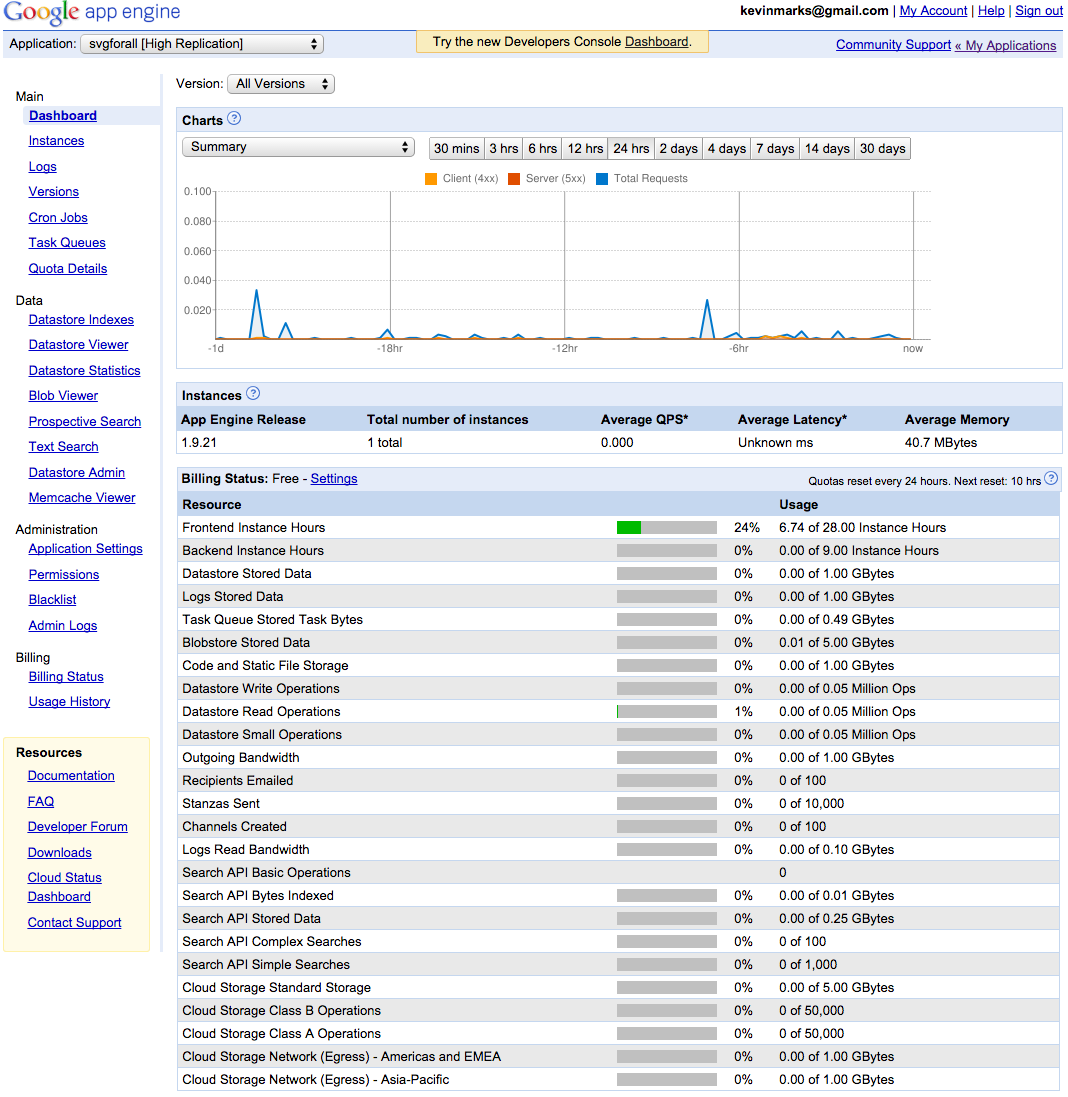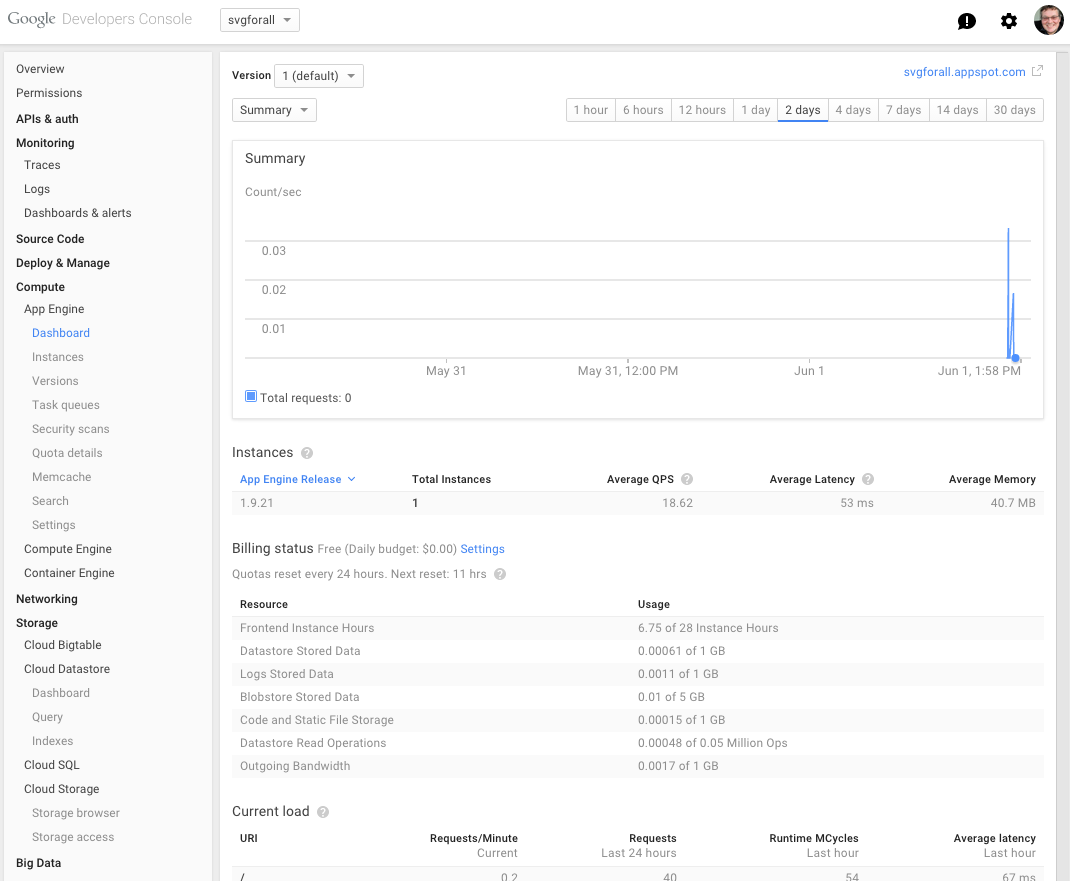








Recently, I’ve noticed that looking at code, reading on my phone and laptop has become more of a challenge. I’ve caught myself squinting and bringing the screen closer to my face, worrying that my eyesight might be deteriorating — already being a glasses wearer. But it turns out the issue isn’t with my eyes—it’s with design. There’s a growing trend among tech companies like Apple, Google, and Twitter to reduce the contrast between text and its background, making it lighter and harder to read. Text that was once clear and easy to see has become faint and grey. As a developer, this trend hit me hard when Google’s App Engine console changed its text from legible to almost invisible. It made me realise that these design choices are creating more problems than they solve. Check out the difference in Google’s App Engine console before and after this change here and here. 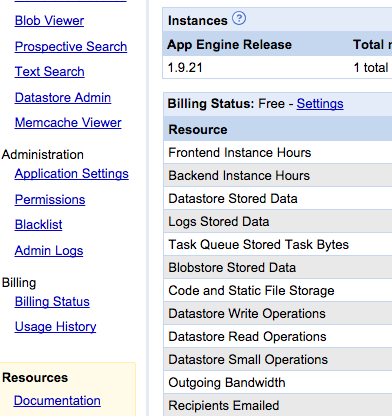

The Rise of Low-Contrast Text
Designers argue that softer text colours reduce eye strain, but this shift actually compromises readability, especially for people with visual impairments or those using lower-quality screens. The Web Accessibility Initiative recommends a contrast ratio of at least 4.5:1 for text to be easily readable, with 7:1 being ideal for people with impaired vision. You can learn more about these guidelines here. While companies like Apple suggest a 7:1 contrast ratio, they often use lighter greys that fall short of this standard. Google also has similar guidelines but recommends text opacity that results in lower contrast. These choices set a troubling trend, making digital content less accessible to many users. For example, Apple’s typography guidelines for developers use a contrast ratio of 5.5:1, which doesn’t fully meet the accessibility recommendations. 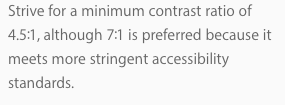 Apple’s guidelines for developers.
Typography Choices Impact Accessibility
Historically, web design prioritised clarity. The original web browsers used high-contrast, black-on-white text ( like on our website), ensuring everyone could read the content. As screen resolutions and design capabilities have improved, the trend has shifted towards more aesthetically pleasing but less practical designs. High-resolution screens and modern fonts look great in perfect conditions, but most people use their devices in less-than-ideal environments. The Typography Handbook, a popular guide among designers, suggests using very dark grey text instead of pure black to avoid too much contrast. You can explore their guidelines here. 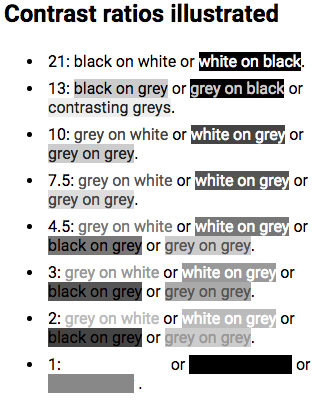 The problem often comes down to contrast—the difference between the colour of text and its background. In 2008, the Web Accessibility Initiative set a standard for text contrast, recommending a minimum ratio of 4.5:1 for legibility, with 7:1 being preferable for those with impaired vision. Yet, many designers today treat these numbers as a maximum, not a minimum, often going even lighter for aesthetic reasons.
The History and Future of Web Typography
When HTML 3.2 launched in 1996, it broadened the options for web design by creating a formal set of colors for a page’s text and background. Yet browser recommendations advised limiting fonts to a group of 216 “web-safe” colors, the most that 8-bit screens could transmit legibly. As 24-bit screens became common, designers moved past the garish recommended colors of the ’90s to make more subtle design choices. Pastel backgrounds and delicate text were now a possibility.
Yet computers were still limited by the narrow choice of fonts already installed on the device. Most of these fonts were solid and easily readable. Because the standard font was crisp, designers began choosing lighter colors for text. By 2009, the floodgates had opened: designers could now download fonts to add to web pages, decreasing dependency on the small set of “web-safe” fonts.
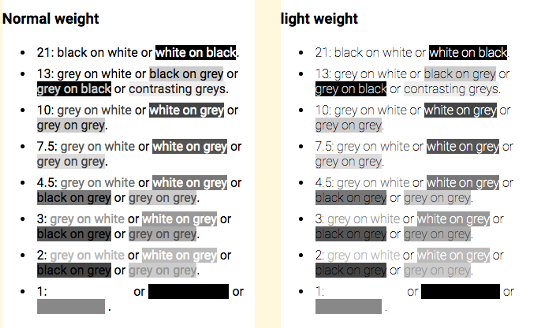 “The power of the Web is in its universality,” wrote Tim Berners-Lee, director of the World Wide Web consortium. “Access by everyone regardless of disability is an essential aspect.” High-resolution screens and modern fonts look great in perfect conditions, like in a design studio with optimal lighting and high-quality monitors. But real-world conditions vary widely. Many people read on smaller, dimmer screens, in varying light conditions, which can make low-contrast text nearly impossible to read.
The theory espoused by designers is that black text on a white background can strain the eyes. Opting for a softer shade of black text, instead, makes a page more comfortable to read. Adam Schwartz, author of “The Magic of CSS,” reiterates the argument:
The sharp contrast of black on white can create visual artifacts or increase eye strain. (But what if the opposite is also true. This is fairly subjective, but still worth noting.)
Another common justification is that people with dyslexia may find contrast confusing, though studies recommend dimming the background color instead of lightening the type .
Several designers pointed me to Ian Storm Taylor’s article, “Design Tip: Never Use Black.” In it, Taylor argues that pure black is more concept than color. “We see dark things and assume they are black things,” he writes. “When, in reality, it’s very hard to find something that is pure black. Roads aren’t black. Your office chair isn’t black. The sidebar in Sparrow isn’t black. Words on web pages aren’t black.”
What Can Designers Do?
Designers need to remember who they’re designing for. It’s essential to consider the real-world environments where people will read their text. Going back to basic principles—using clear, high-contrast text—can make a world of difference. It might not be trendy, but it’s practical and inclusive, ensuring that everyone can access the content, regardless of their eyesight or the quality of their screen. To arbitrarily throw away contrast based on a fashion that “looks good on my perfect screen in my perfectly lit office” is abdicating designers’ responsibilities to the very people for whom they are designing. In the end, good design isn’t just about aesthetics; it’s about accessibility. By prioritising readability and clarity over the latest design trends, we can make the web a more inclusive space for everyone. Let’s keep our type clear, our text legible, and our readers happy.